Java Web Start

ちょっと前に英語が苦手な(出来ない)私が相手の要求に上手く応えることができなかった。

今でもその人が何を望んでいるのかちょっとよく解らない。

たぶん Java Web Start のことかな?って思うので今回のエントリーはそれを取り上げてみることにした。

今回は外部ライブラリを使う JavaFX アプリケーションをサンプルにします。

既にサンプルアプリとして公開されているものを使わさせていただきます。

JavaFX の外部ライブラリとして凄く良くできている ControlsFX です!

ControlsFX 

このファイルをダウンロードして解凍した中の

ライブラリ本体 controlsfx-8.0.2-developer-preview-1.jar

サンプルアプリ controlsfx-8.0.2-developer-preview-1-samples.jar

を使います。

現時点ではこれら二つの jar ファイルは署名されてないので心苦しいのですが勝手に署名を入れさせていただきます。

今回は Java Web Start の作り方なので署名ファイルは簡易的なオレオレ署名を作ります。

コマンドプロンプトを起動して下記コマンドを打ち込み署名ファイルを作成します。

keytool -genkey –alias javafx -keystore keystore –storepass password –keypass password_2 -validity 3650

できあがった keystore.key ファイルは jar ファイルに署名するのに必要なのでエイリアス名とパスワードは忘れないようにしてください。

署名をする前にマニフェストファイルを更新します。

controlsfx-8.0.2-developer-preview-1-samples.jar のマニフェストファイルを下記のように更新します。

Manifest-Version: 1.0
Main-Class: org.controlsfx.HelloControlsFX
Class-Path: controlsfx-8.0.2-developer-preview-1.jar

上記のような MANIFEST.MF ファイルを作って controlsfx-8.0.2-developer-preview-1-samples.jar を更新するのが一番楽かな。

jar uvmf MANIFEST.MF controlsfx-8.0.2-developer-preview-1-samples.jar

controlsfx-8.0.2-developer-preview-1-samples.jar のマニフェストファイルの更新が終わったら先ほど作った keystore ファイルを使用して

controlsfx-8.0.2-developer-preview-1-samples.jar と controlsfx-8.0.2-developer-preview-1.jar に署名を入れます。

jarsigner -keystore keystore controlsfx-8.0.2-developer-preview-1-samples.jar javafx

パスワードの入力を求められますのでパスワードを入力します。

同様に controlsfx-8.0.2-developer-preview-1.jar にも署名を入れます。

jarsigner -keystore keystore controlsfx-8.0.2-developer-preview-1.jar javafx

こちらも当然パスワードを要求されますので入力します。

これで jar ファイルへの署名は完了です。

次は JNLP ファイルを作成します。

controlsfx-8.0.2-developer-preview-1-samples.jnlp

<?xml version=”1.0″ encoding=”utf-8″?>
<jnlp codebase=”http://yucchi.jp/java/java_web_start/HOGE/” spec=”1.0″ xmlns:jfx=”http://javafx.com” href=”controlsfx-8.0.2-developer-preview-1-samples.jnlp”>
  <information>
    <title>HelloControlsFX</title>
    <vendor>Hoge</vendor>
    <description>null</description>
    <offline-allowed/>
  </information>
  <resources>
    <jfx:javafx-runtime version=”2.2+” href=”http://javadl.sun.com/webapps/download/GetFile/javafx-latest/windows-i586/javafx2.jnlp”/>
  </resources>
  <resources>
    <j2se version=”1.6+” href=”http://java.sun.com/products/autodl/j2se”/>
    <jar href=”controlsfx-8.0.2-developer-preview-1-samples.jar” size=”200919″ download=”eager” />
    <jar href=”controlsfx-8.0.2-developer-preview-1.jar” size=”455114″ download=”eager” />
  </resources>
<security>
  <all-permissions/>
</security>
  <applet-desc  width=”800″ height=”600″ main-class=”com.javafx.main.NoJavaFXFallback”  name=”HelloControlsFX” >
    <param name=”requiredFXVersion” value=”8.0+”/>
  </applet-desc>
  <jfx:javafx-desc  width=”800″ height=”600″ main-class=”org.controlsfx.HelloControlsFX”  name=”HelloControlsFX” />
  <update check=”always”/>
</jnlp>

上記の JNLP ファイルの codebase=”http://yucchi.jp/java/java_web_start/HOGE/” に

controlsfx-8.0.2-developer-preview-1-samples.jar

controlsfx-8.0.2-developer-preview-1.jar

controlsfx-8.0.2-developer-preview-1-samples.jnlp

を配備して下記のようにリンクをはればできあがりです。

<a href=”http://yucchi.jp/java/java_web_start/HOGE/controlsfx-8.0.2-developer-preview-1-samples.jnlp”>

ただし、あなたのサーバーが JNLP ファイルをサポートしている必要があります。

mine.types に

application/x-java-jnlp-file  jnlp

と無ければ追加してください。

Webstart: click to launch this app as webstart (Java 8 実行環境必須)
Hatena タグ:

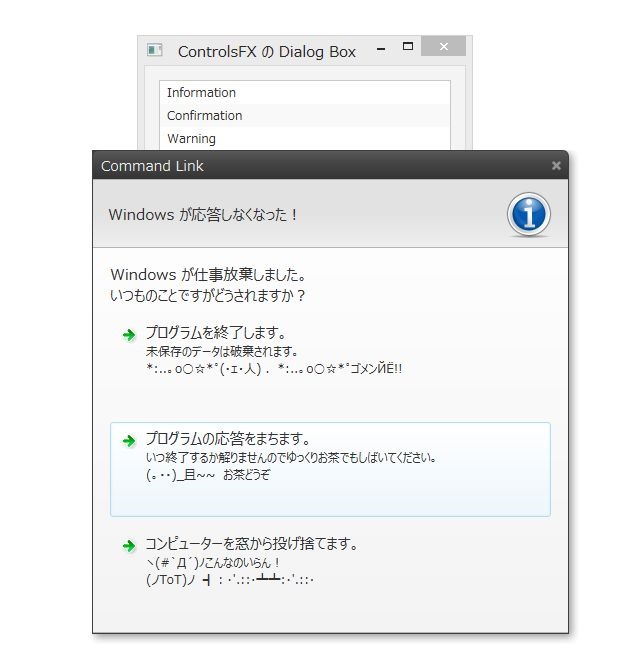
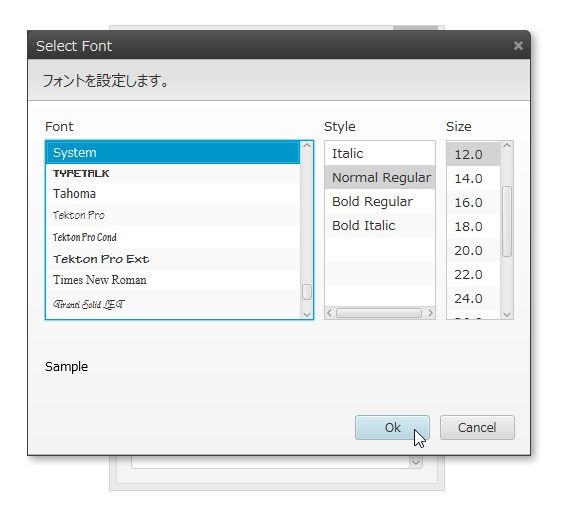
ControlsFX の Dialog を試してみた。

JavaFX には標準で Dialog Box が無い!

なんで無いのかは解らないけど JavaFX 8 なら外部ライブラリーの ControlsFX の Dialog が使えるようです。

ちょっと試してみました。

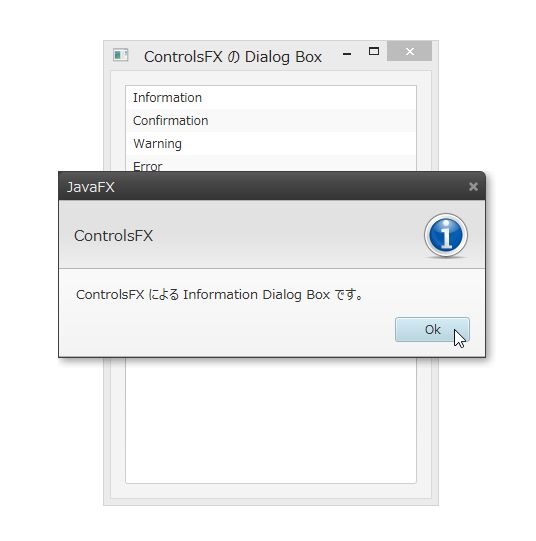
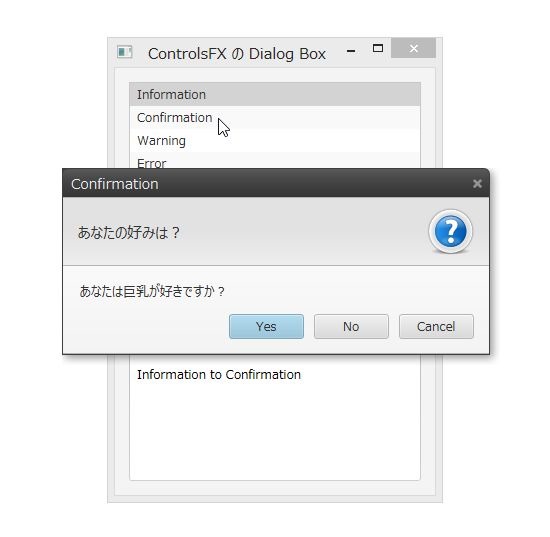
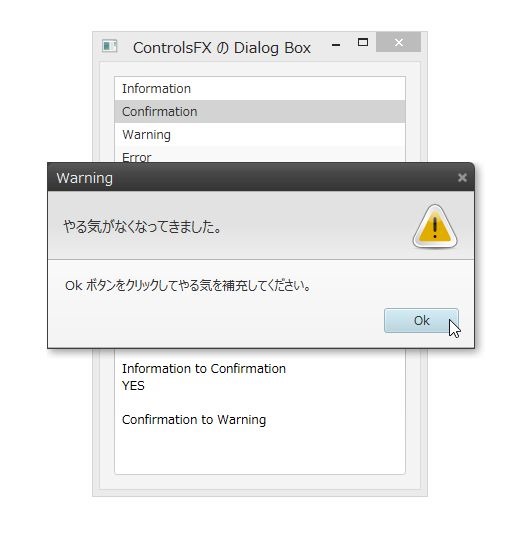
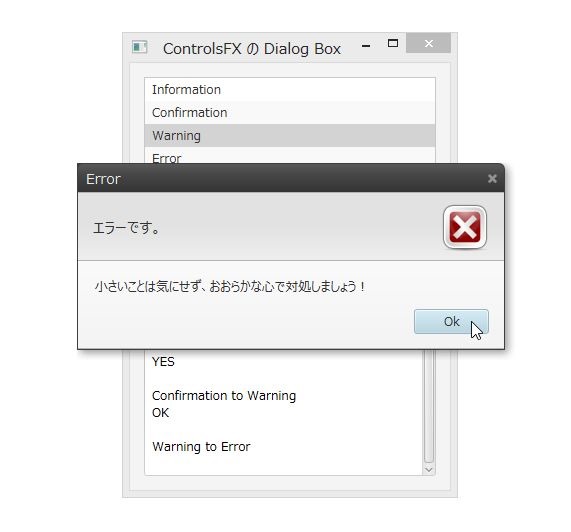
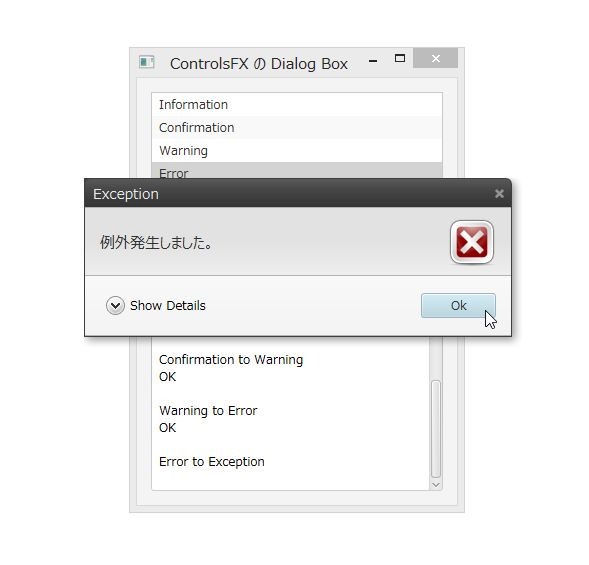
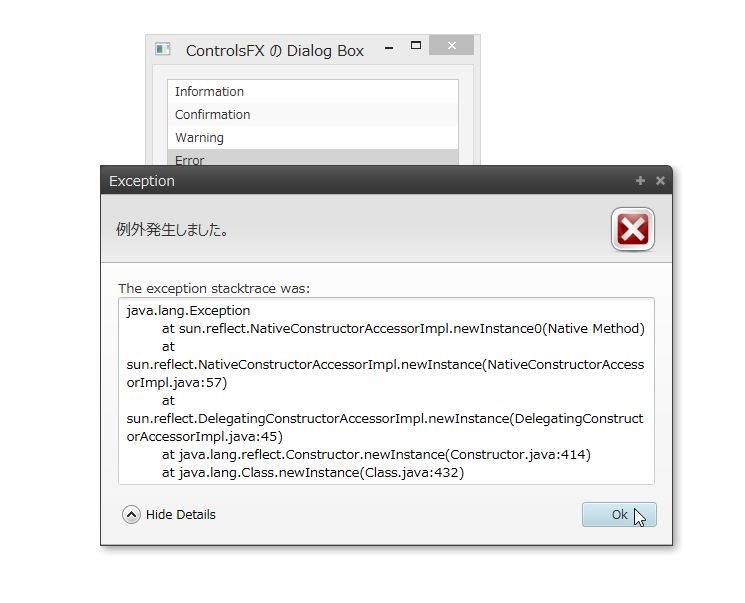
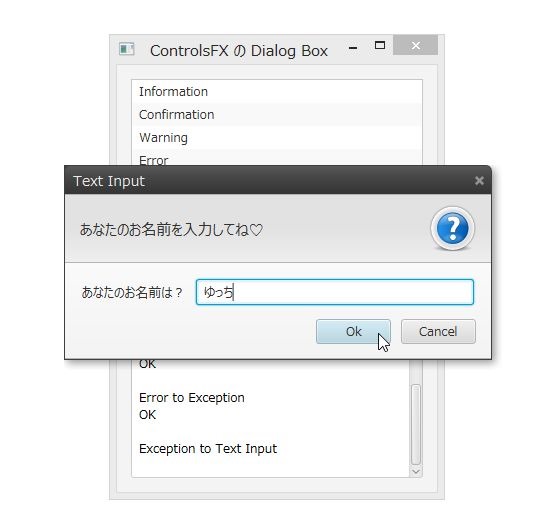
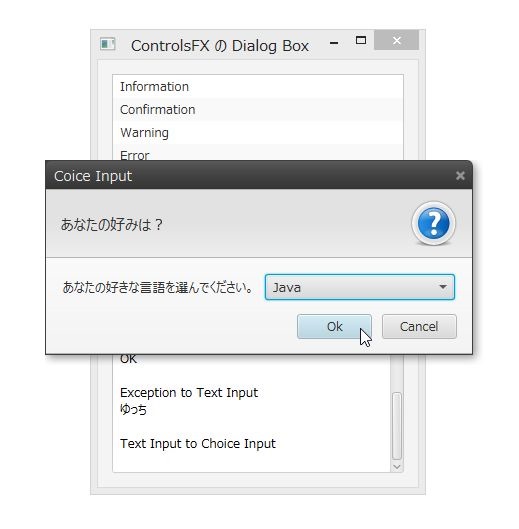
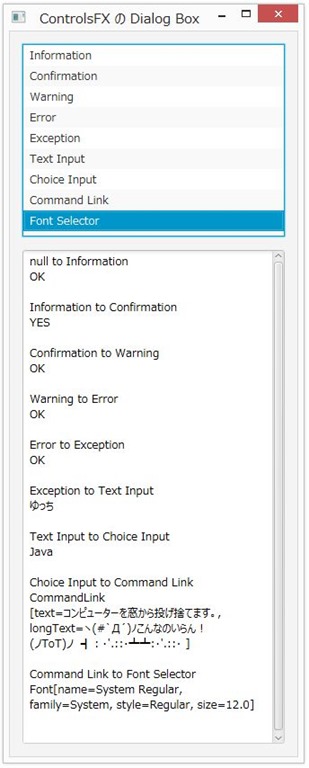
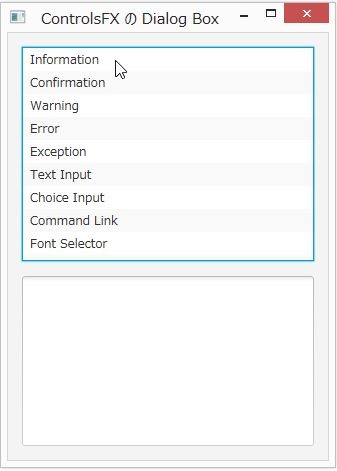
リストから選択された Dialog を表示させて Dialog での処理をテキストエリアに表示させるだけのシンプルなプログラムです。

こんな感じで動きました。

1

2

3

4

5

6

7

8

9

10

11

12

かなり良い感じの Dialog Box になってます。

ただ、Font Dialog は標準出力に勝手に表示されます。デバッグ用のが残ってるんでしょうか?

それと気になるのは Choice Input Dialog でデフォルトを設定した場合、デフォルト選択のまま Ok ボタンを押すと null が返されるのは何故なんだろう?

私的に少し馴染めない仕様になってるところがあるのでちょっと注意が必要です。

それでは Java 8 環境が必要ですがこのプログラムのコードと Java Web Start を貼っておきますね!

package jp.yucchi.trycontrolsfx_dialog;

import javafx.application.Application;
import javafx.fxml.FXMLLoader;
import javafx.scene.Parent;
import javafx.scene.Scene;
import javafx.stage.Stage;

/**
 *
 * @author Yucchi
 */
public class TryControlsFX_Dialog extends Application {

    @Override
    public void start(Stage stage) throws Exception {
        Parent root = FXMLLoader.load(getClass().getResource("FXMLDocument.fxml"));

        Scene scene = new Scene(root);
        stage.setTitle("ControlsFX の Dialog Box");
        stage.setScene(scene);
        stage.show();
    }

    public static void main(String[] args) {
        launch(args);
    }

}
package jp.yucchi.trycontrolsfx_dialog;

import java.net.URL;
import java.util.Arrays;
import java.util.List;
import java.util.ResourceBundle;
import java.util.logging.Level;
import java.util.logging.Logger;
import javafx.beans.value.ObservableValue;
import javafx.fxml.FXML;
import javafx.fxml.Initializable;
import javafx.scene.control.ListView;
import javafx.scene.control.MultipleSelectionModel;
import javafx.scene.control.TextArea;
import javafx.scene.text.Font;
import org.controlsfx.control.action.Action;
import org.controlsfx.dialog.Dialogs;
import org.controlsfx.dialog.Dialogs.CommandLink;

/**
 *
 * @author Yucchi
 */
public class FXMLDocumentController implements Initializable {

    @FXML
    private ListView listView;

    @FXML
    private TextArea textArea;

    private Font font;

    @Override
    public void initialize(URL url, ResourceBundle rb) {
        MultipleSelectionModel model = listView.getSelectionModel();
        model.selectedItemProperty().addListener((ObservableValue value, String oldValuet, String newValue) -> {

            textArea.appendText(oldValuet + " to " + newValue + "\n");
            if (model.getSelectedItems().get(0).toString() != null) {
                switch (model.getSelectedItems().get(0).toString()) {
                    case "Information":
                        Dialogs.create()
                                .owner(listView.getScene().getWindow())
                                .title("JavaFX")
                                .masthead(isMastheadVisible() ? "ControlsFX" : null)
                                .message("ControlsFX による Information Dialog Box です。")
                                .showInformation();
                        textArea.appendText("OK\n\n"); // 戻り値無し
                        break;
                    case "Confirmation":
                        Action response = Dialogs.create()
                                .owner(listView.getScene().getWindow())
                                .title("Confirmation")
                                .masthead(isMastheadVisible() ? "あなたの好みは?" : null)
                                .message("あなたは巨乳が好きですか?")
                                .showConfirm();
                        textArea.appendText(response.toString() + "\n\n");
                        break;
                    case "Warning":
                        Action responseWarning = Dialogs.create()
                                .owner(listView.getScene().getWindow())
                                .title("Warning")
                                .masthead(isMastheadVisible() ? "やる気がなくなってきました。" : null)
                                .message("Ok ボタンをクリックしてやる気を補充してください。")
                                .showWarning();
                        textArea.appendText(responseWarning.toString() + "\n\n");
                        break;
                    case "Error":
                        Action responseError = Dialogs.create()
                                .owner(listView.getScene().getWindow())
                                .title("Error")
                                .masthead(isMastheadVisible() ? "エラーです。" : null)
                                .message("小さいことは気にせず、おおらかな心で対処しましょう!")
                                .showError();
                        textArea.appendText(responseError.toString() + "\n\n");
                        break;
                    case "Exception":
                        Action responseException = null;
                        try {
                            responseException = Dialogs.create()
                                    .owner(listView.getScene().getWindow())
                                    .title("Exception")
                                    .masthead(isMastheadVisible() ? "例外発生しました。" : null)
                                    .message("気になるならスタックトレースでもご覧になってください。")
                                    .showException(Exception.class.newInstance());
                        } catch (InstantiationException | IllegalAccessException ex) {
                            Logger.getLogger(FXMLDocumentController.class.getName()).log(Level.SEVERE, null, ex);
                        }
                        textArea.appendText(responseException.toString() + "\n\n");
                        break;
                    case "Text Input":
                        String responseTextInput = Dialogs.create()
                                .owner(listView.getScene().getWindow())
                                .title("Text Input")
                                .masthead(isMastheadVisible() ? "あなたのお名前を入力してね♡" : null)
                                .message("あなたのお名前は?")
                                .showTextInput();
                        textArea.appendText(responseTextInput + "\n\n");
                        break;
                    case "Choice Input":
                        List items = Arrays.asList("Java", "Haskell", "C++", "PHP", "日本語");
                        String responseChoiceInput = Dialogs.create()
                                .owner(listView.getScene().getWindow())
                                .title("Coice Input")
                                .masthead(isMastheadVisible() ? "あなたの好みは?" : null)
                                .message("あなたの好きな言語を選んでください。")
                                // .showChoices(items.get(0), items); // デフォルトを選択状態で Ok だとぬるぽだよ。
                                .showChoices(items); // 何も選択しない状態で Ok だとぬるぽ。(これは解る)
                        textArea.appendText(responseChoiceInput + "\n\n");
                        break;
                    case "Command Link":
                        List links = Arrays.asList(
                                new CommandLink("プログラムを終了します。",
                                "未保存のデータは破棄されます。\n*:..。o○☆*゜(・ェ・人) .*:..。o○☆*゜ゴメンЙЁ!! "),
                                new CommandLink("プログラムの応答をまちます。",
                                "いつ終了するか解りませんのでゆっくりお茶でもしばいてください。\n(。・・)_且~~ お茶どうぞ "),
                                new CommandLink("コンピューターを窓から投げ捨てます。",
                                "ヽ(#`Д´)ノこんなのいらん! \n(ノToT)ノ ┫:・'.::・┻┻:・'.::・ "));
                        Action responseCommandLinks = Dialogs.create()
                                .owner(listView.getScene().getWindow())
                                .title("Command Link")
                                .masthead(isMastheadVisible() ? "Windows が応答しなくなった!" : null)
                                .message("Windows が仕事放棄しました。\nいつものことですがどうされますか?")
                                .showCommandLinks(links.get(1), links);
                        textArea.appendText(responseCommandLinks.toString() + "\n\n");
                        break;
                    case "Font Selector":
                        Font responseFontSelector = Dialogs.create()
                                .owner(listView.getScene().getWindow())
                                .title("Font Selector")
                                .masthead(isMastheadVisible() ? "フォントを設定します。" : null)
                                .message("あなたの好みのフォントを選んでください。")
                                .showFontSelector(font);
                        textArea.appendText(responseFontSelector.toString() + "\n\n");
                        break;

                }
            } else {
                textArea.appendText("model: null\n\n");
            }
        });
    }

    private boolean isMastheadVisible() {
        return true;
    }

}